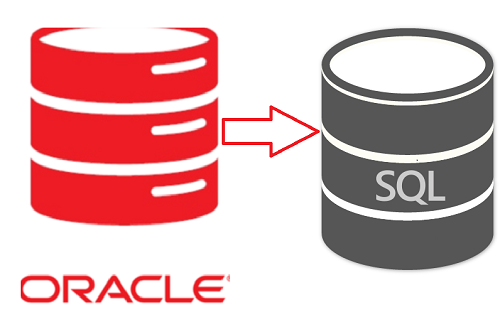
 Oracle and SQL
A lot of Oracle customers are concerned about being
locked into a single vendor with high licensing costs. Very often they
realize this situation when the time to upgrade or modernize their
environment comes.
Microsoft SQL Server cut down its costs by consolidating databases,
allocating resources, compressing data, virtualizing servers more
effectively, and managing policies. We can utilize SQL Server’s
self-service business intelligence capabilities. As a result, this
provides end-users with the ability to create their ad-hoc reporting.
So, organizations can significantly reduce their dependence on IT.Using Microsoft SQL Server (SSMA), we can help Oracle customers achieve the performance, scale, and security that their applications require while keeping costs in control.
Why should an organization shift from Oracle to SQL Server?
The fact is that Oracle requires a major investment.
An individual that has embraced this technology also understands the
size of the impression throughout their technology stack it probably
has. Nobody buys Oracle licensing for small or even medium
organizations. Comparing SQL Server Enterprise’s total price to Oracle’s
price is a big difference. The reason is quite simple. An enormous
number of mid and large-sized organizations currently utilize Oracle
database as part of their overall IT stack. Many of these organizations
are still using the on-premise database version. As the size of
organizational data increases, their database ecosystem begins to get
expanded, requiring better management, higher storage, and processing
power which unfortunately increases the overall cost. With this high
data volume, many companies find it difficult to maintain their
databases at optimum costs while addressing the growing complexity.
Just the once organizations recognize and buy into
the benefits of migrating enterprise applications to the cloud, they
then need to evaluate which platforms make the most sense for future
growth. In a nutshell, they need a platform that will provide improved
performance and operational benefits at an optimized cost structure. Two
of the major alternatives to Oracle on-premise databases are migrating
to Oracle Cloud or Microsoft SQL server (hosted in Azure cloud or
on-premise).
SQL Server Migration Assistant (SSMA) Migration Steps:
SQL Server Migration Assistant (SSMA) for Oracle
helps you convert Oracle database schemas to SQL Server schemas. SSMA
upload the resulting schemas into SQL Server and migrate data from
Oracle to SQL Server. In these steps, we can see how the installation
process, and then also it will help to familiarize you with the SSMA
user interface.
Oracle SSMA (SQL Server Migration Assistant) is a
complete environment that helps you quickly migrate Oracle databases to
SQL Server, Azure SQL Data Warehouse or Azure SQL DB. By using SQL
Server Migration Assistant for Oracle, you can evaluate database objects
and data, assess databases for migration, migrate database objects to
SQL Server, Azure SQL DB, or Azure SQL Data Warehouse, and then migrate
data to SQL Server, Azure SQL Data Warehouse or Azure SQL DB. Remind
that you cannot migrate SYS and SYSTEM Oracle schemas.
To successfully migrate objects and data from Oracle
databases to SQL Server, Azure SQL DB, or Azure SQL Data Warehouse, use
the following steps:
Step 1:- Create a new SSMA project:
After you create the project, you can set project conversion, migration,
and type mapping options. To know project settings, see Setting Project
Options (OracleToSQL) and know about how to customize data type
mappings, see Mapping Oracle and SQL Server Data Types (OracleToSQL).
Step 2:- Connect to the Oracle database server.
Step 3:-Connect to an instance of SQL Server.
Step 4:- Map Oracle database schemas to SQL Server database schemas.
Step 5:- Optionally, Create assessment reports to assess database objects for conversion and estimate the conversion time.
Step 6:-Convert Oracle database schemas into SQL Server schemas.
Step 7:- Load the converted database objects into SQL Server. You can do this by saving a script and run it in SQL Server and synchronize the database objects.
Step 8:- Migrate data to SQL Server.
Step 9:- If necessary, update database applications.
Step 2:- Connect to the Oracle database server.
Step 3:-Connect to an instance of SQL Server.
Step 4:- Map Oracle database schemas to SQL Server database schemas.
Step 5:- Optionally, Create assessment reports to assess database objects for conversion and estimate the conversion time.
Step 6:-Convert Oracle database schemas into SQL Server schemas.
Step 7:- Load the converted database objects into SQL Server. You can do this by saving a script and run it in SQL Server and synchronize the database objects.
Step 8:- Migrate data to SQL Server.
Step 9:- If necessary, update database applications.
Migration from Oracle to Microsoft SQL can be a
smooth venture if you have expertise in both databases. A well-made
migration plan that includes the considerations given above will help
minimize potential issues during and post-migration.
If you need support from a partner who has done similar Oracle to SQL migrations, a sovereign
team of experts can help. We have guided various clients through the
considerations referenced above to execute seamless migrations from
Oracle to MS SQL
